smart medication PK – Individual calculation of the factor level for hemophilia patients
smart medication PK connects the electronic diary smart medication eDiary with the myWAPPS app of Canada’s McMaster University: treatment data are transmitted to WAPPS-HEMO at the push of a button, and people with hemophilia can see their individually calculated factor level at any time – provided their hemophilia treatment center has stored the pharmacokinetic data there.
At a glance
- Target group
- People with hemophilia who use smart medication eDiary, and their hemophilia treatment centers
- Basis
- Individual pharmacokinetics from WAPPS-HEMO (Web-based Accessible Population Pharmacokinetic Service-Hemophilia) at McMaster University
- Requirements
- PK data stored at WAPPS-HEMO by the center, activation by the physician, myWAPPS app installed
- Procedure
- Link in the eDiary menu, consent, transmission of the last five treatment entries, read the factor level in myWAPPS
- Result
- Current and future factor level, displayed in myWAPPS
Balancing an active everyday life with hemophilia can be a challenge. High-quality factor concentrates protect against bleeds … and yet you sometimes ask yourself:
- Is my factor level high enough for a round of sports?
- Can I let my child go out and play with friends right now, despite the hemophilia?
In situations like these, it helps when patients know their current, individual factor level.
The background: every body responds differently to factor administration, and the time span in which the factor concentrate is broken down varies from person to person. While one patient is still well protected, another needs a further injection after the same amount of time. Experts call this individual pharmacokinetics.
Check your factor level – anytime!
The smart medication eDiary app in combination with myWAPPS
Are you already using smart medication eDiary to document your hemophilia therapy?
If you record all injections there and document bleeds, you have an excellent overview. Now the possibilities of this app are expanding:
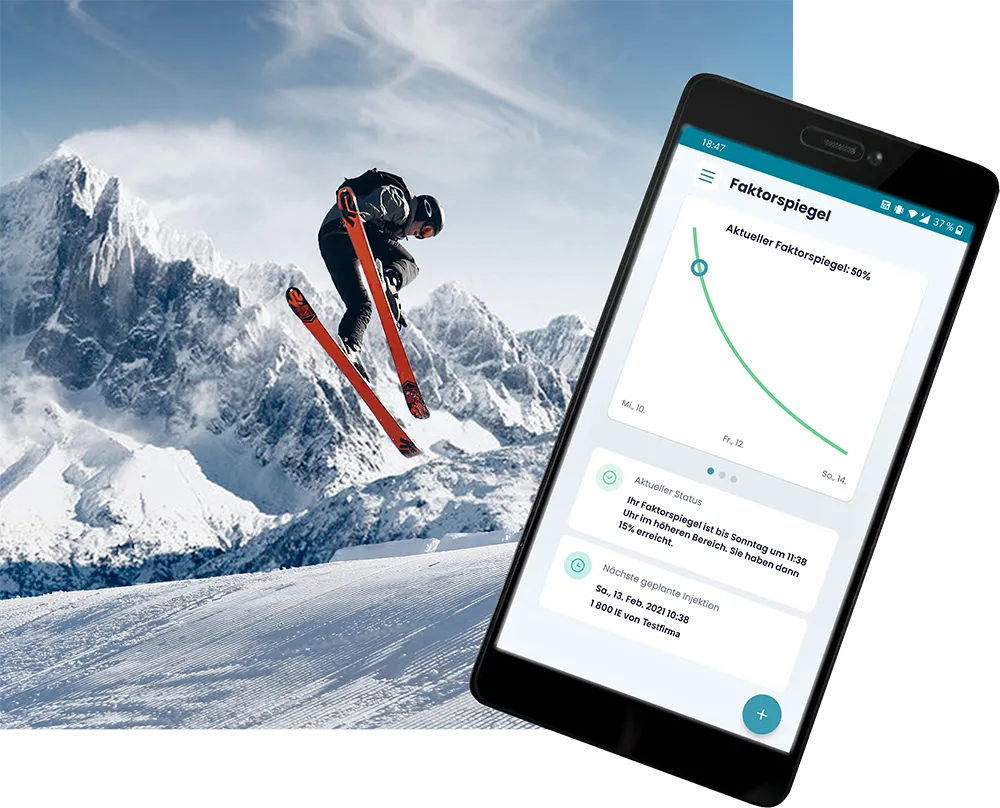
You can connect smart medication eDiary – in consultation with your physician – to the myWAPPS app to keep an eye on your individual factor level at all times. When you use myWAPPS, you have access to a database that many people with hemophilia around the world are already using. Based on this data and your personal pharmacokinetics, you can have your current factor level calculated live at any time and read it out via the app. That way, you always see how long you will remain in the desired range and when you may need to administer another injection.
This lets you organize your everyday life more flexibly.

For a self-determined life!
How is my individual pharmacokinetics determined?
To have your individual pharmacokinetics (PK) determined, please talk to your physician. Only a few examinations are needed to establish your values. After factor administration, your plasma concentration is measured at specific intervals. From this, it can be derived how quickly your body breaks down the factor concentrate.
Your physician enters your factor data and the data on your injections into the WAPPS-HEMO portal.
Based on your data, experts at McMaster University calculate your individual pharmacokinetics. The calculation also incorporates data from many patients worldwide who are already using this option. It is a learning system that you can benefit from.
WAPPS-HEMO (Web-based Accessible Population Pharmacokinetic Service-Hemophilia) is a scientific database of Canada’s McMaster University. If you wish, your physician can enter data on your injections and the subsequent factor measurements into this project’s database. At initial registration, your physician enters an e-mail address of your choice. You can use it to create a password on WAPPS-HEMO. On first use, you then simply switch from smart medication eDiary to myWAPPS by clicking “WAPPS-HEMO”. You enter your password once and can then always use myWAPPS directly or simply open it from within smart medication eDiary.
Going forward, you can check your factor level at any time on your smartphone. Document your therapy data in smart medication eDiary as usual and simply transmit the relevant data from your smart medication app to the WAPPS-HEMO database at the touch of a button. Within seconds, you receive the result via the myWAPPS app: It shows you directly whether your factor level is still in the desired range!
-
Have your hemophilia treatment center store your pharmacokinetic data with WAPPS-HEMO
-

Connect the smart medication eDiary app to WAPPS-HEMO
-

Send treatment data from smart medication eDiary to WAPPS-HEMO at the touch of a button
-

View your factor level in myWAPPS and plan everyday life with hemophilia flexibly
Quickly explained
How the link between smart medication eDiary and myWAPPS works
-
Requirements
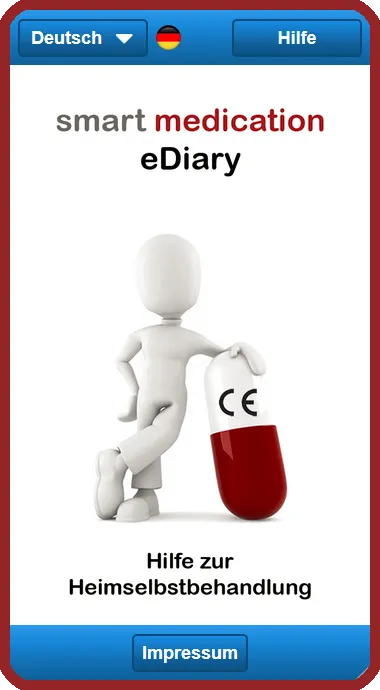
Your treating physician has stored pharmacokinetic data for you with WAPPS-HEMO and has enabled you to use myWAPPS in combination with smart medication eDiary. You have installed the myWAPPS app and received your login credentials from your physician.
-
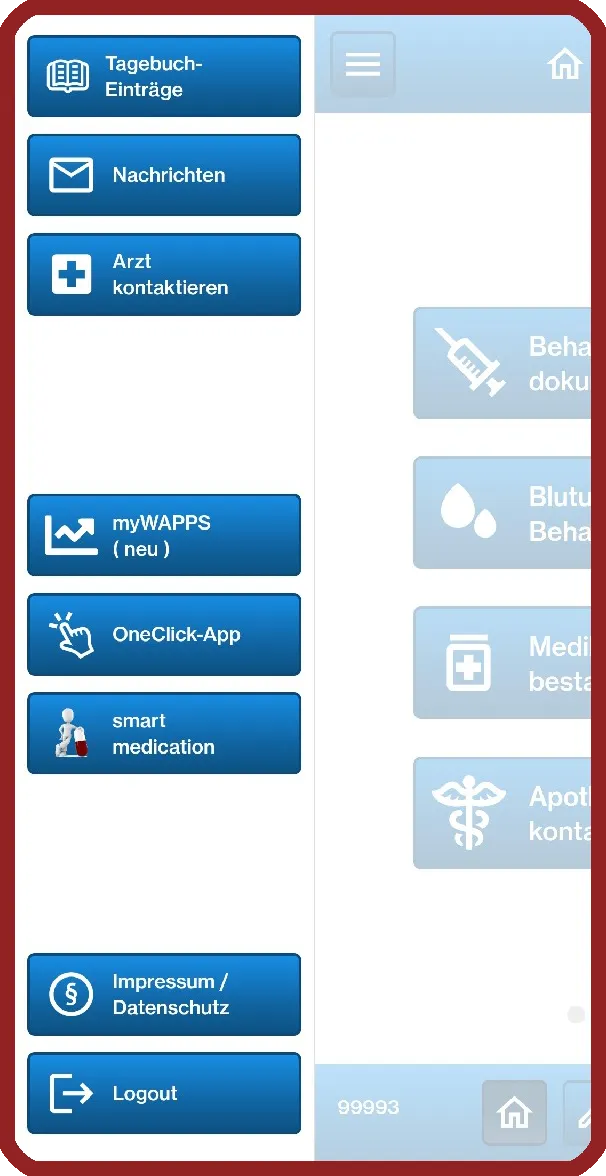
Linking
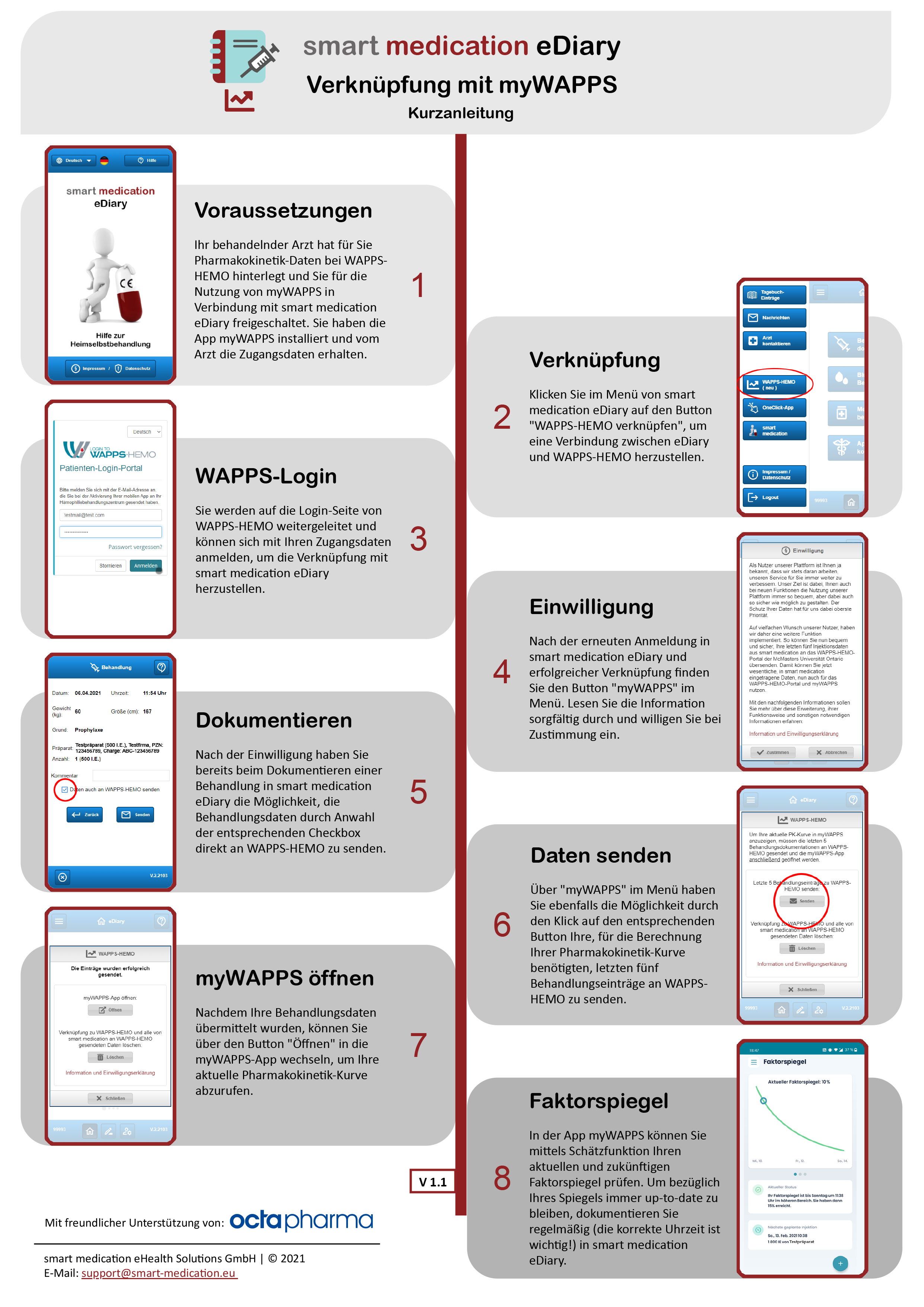
In the smart medication eDiary menu, click the “Link WAPPS-HEMO” button to establish a connection between eDiary and WAPPS-HEMO.
-
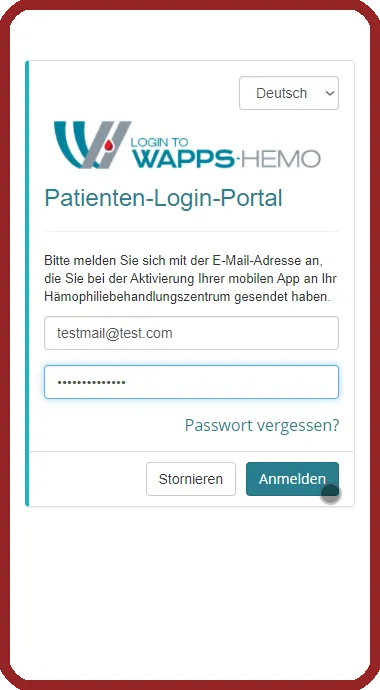
WAPPS login
You are redirected to the WAPPS-HEMO login page, where you can sign in with your credentials to establish the link with smart medication eDiary.
-
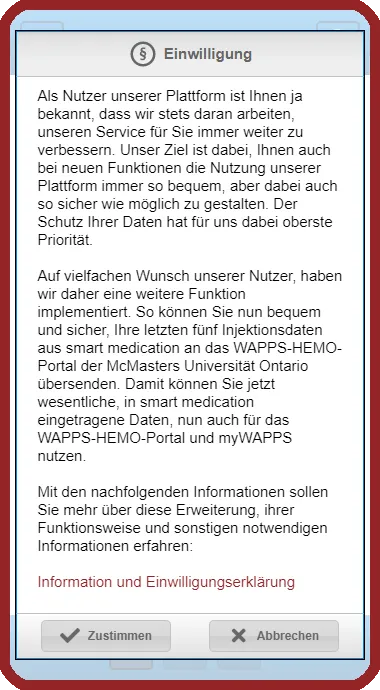
Consent
After signing in to smart medication eDiary again and successfully linking, you will find the “myWAPPS” button in the menu. Read the information carefully and give your consent if you agree.
-
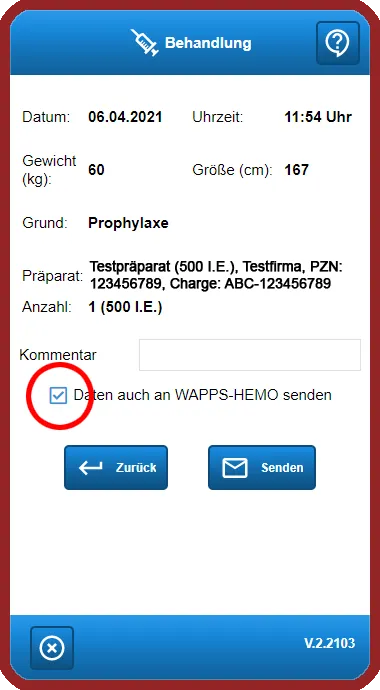
Documenting
Once you have given consent, you can send treatment data directly to WAPPS-HEMO while documenting a treatment in smart medication eDiary by selecting the corresponding checkbox.
-
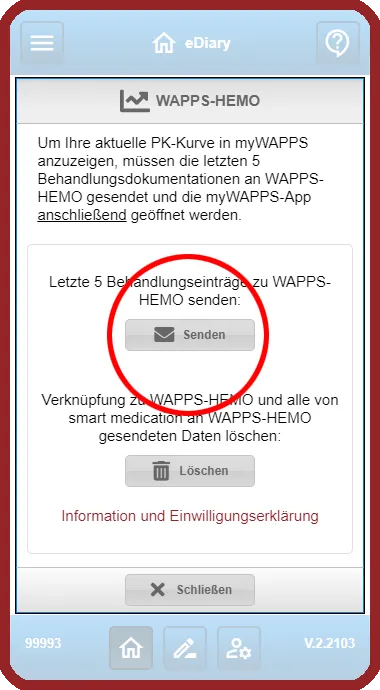
Sending data
Via “myWAPPS” in the menu, you can also click the corresponding button to send your last five treatment entries – needed to calculate your pharmacokinetic curve – to WAPPS-HEMO.
-
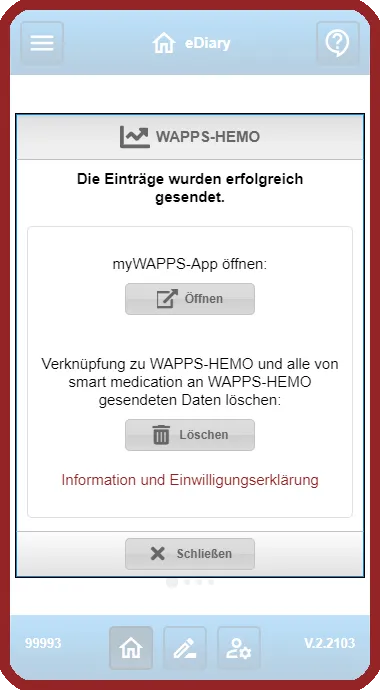
Opening myWAPPS
Once your treatment data has been transmitted, you can switch to the myWAPPS app via the “Open” button to retrieve your current pharmacokinetic curve.
-
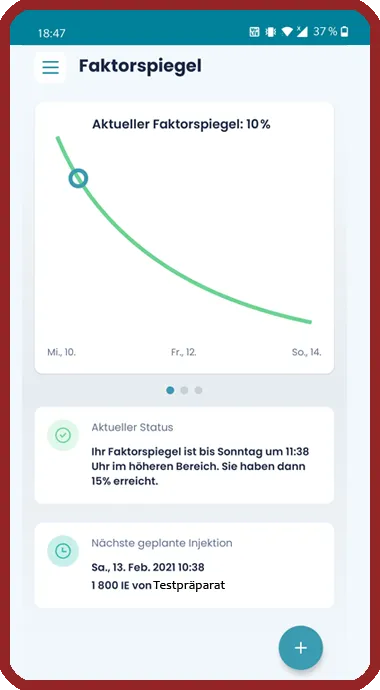
Viewing your factor level
In the myWAPPS app, you can check your current and future factor level using the estimation function. To always stay up to date on your level, document regularly in smart medication eDiary (the correct time of day is important!).
Frequently asked questions
What are individual pharmacokinetics?
Who determines my PK values?
Which data are transmitted to WAPPS-HEMO?
What is WAPPS-HEMO?
Why does the correct time of documentation matter?
Set it up now!

You can download further information about smart medication eDiary and myWAPPS here or view it on the web: